

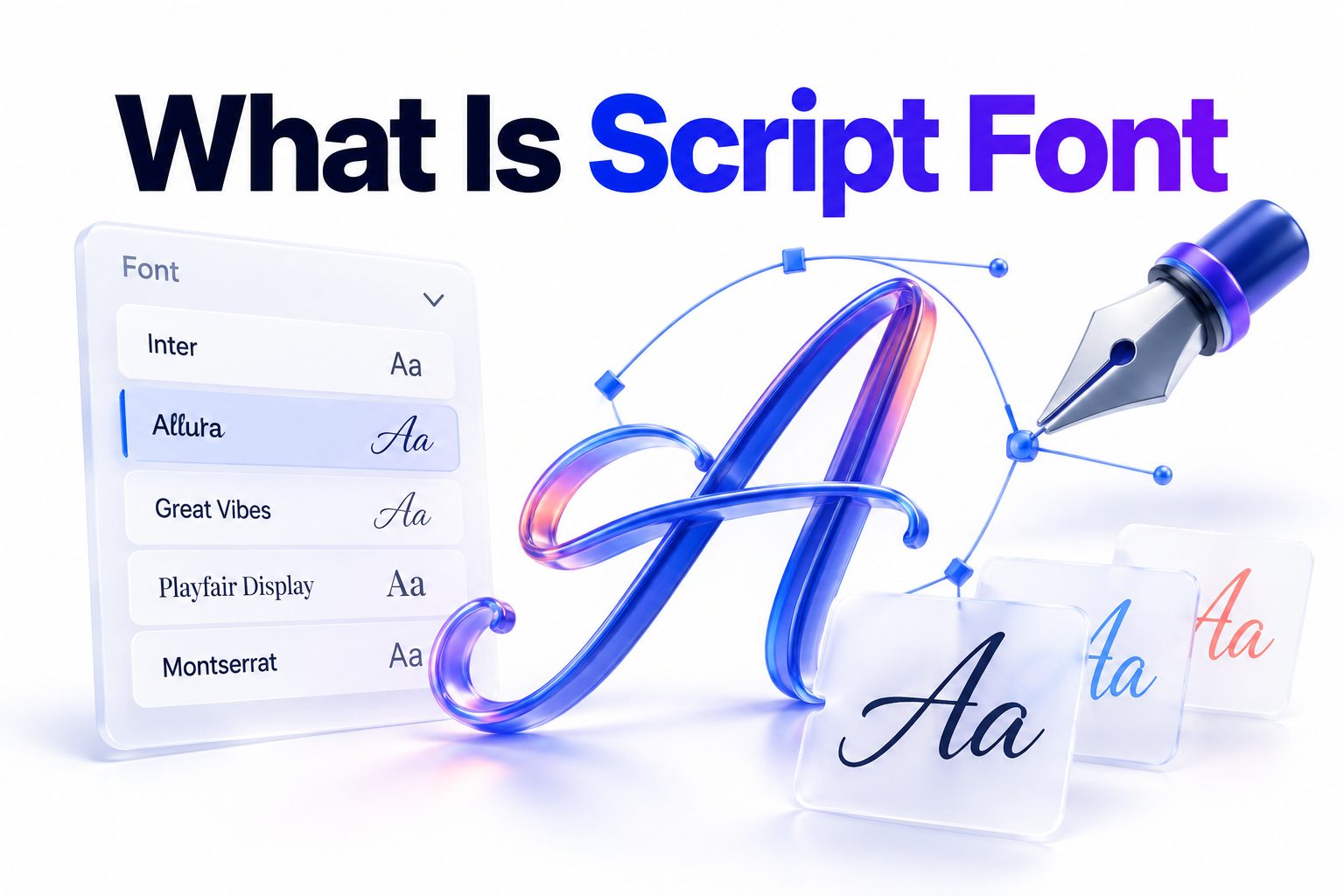
Script font is a typeface designed to imitate handwriting, calligraphy, or lettering created with a pen, brush, or other writing tool. Its characters often connect, lean, loop, or vary in stroke thickness, giving words a more personal and expressive appearance than standard serif or sans serif text.
The term covers a wide range of styles. Some script fonts resemble formal copperplate calligraphy, while others look like casual notes, painted signs, signatures, or energetic brush lettering. This variety makes script typography useful for wedding invitations, logos, packaging, social media graphics, book covers, and decorative headlines.
Knowing what is script font—and how it differs from cursive handwriting or ordinary italic type—helps you choose lettering that supports both the message and the setting. The right script can make a design feel refined, friendly, romantic, handmade, luxurious, or playful. The wrong one can make important information difficult to read. This article explains the main script categories, where they work best, how to pair them with other typefaces, and which common mistakes can weaken an otherwise strong design.
What Defines a Script Font
A script font uses letterforms based on fluid writing movements. Many designs include connected lowercase characters, sweeping entry and exit strokes, rounded shapes, and visible changes in line weight. These features reproduce the rhythm of handwriting even though each character is generated digitally.
Not every script font connects every letter. Some use separate characters while retaining a handwritten appearance. The defining quality is not connection alone, but the suggestion that the letters were formed by hand with a continuous, intentional movement.
Stroke Contrast and Writing Tools
Formal scripts often have strong stroke contrast, with thin upward movements and thick downward strokes. This effect comes from traditional pointed-pen calligraphy, where pressure changes the width of the line. Broad-edge pens create a different pattern, producing angled, ribbon-like strokes.
Brush scripts tend to have softer edges and heavier forms. Marker and monoline scripts maintain a more consistent width because their imagined writing tools do not respond to pressure in the same way. These details shape the typeface’s personality and influence where it feels appropriate.
Connections, Slant, and Rhythm
Many script typefaces use joining strokes that allow one character to flow into the next. A consistent slant reinforces the sense of forward motion, while carefully spaced letters create a natural rhythm. Poor spacing can interrupt that rhythm and expose the mechanical nature of repeated digital characters.
Professional script fonts may include multiple versions of common letters, known as alternates. Designers can replace repeated characters so that a word looks less uniform. Ligatures may also combine specific letter pairs, preventing awkward overlaps and making connections appear more convincing.
Script Font Versus Cursive, Calligraphy, and Italic Type
Script font and cursive are related, but they are not identical. Cursive is a method of handwriting in which letters are usually joined to support faster writing. A script font is a designed typeface that may imitate cursive, calligraphy, brush lettering, or informal handwriting.
Calligraphy refers to the practice of forming letters by hand with deliberate strokes and specialized tools. Script fonts can reproduce the appearance of calligraphy, but they remain reusable digital systems. Each typed character begins from a predefined design rather than a fresh hand movement.
Italic type is also different. A true italic is a companion style within a serif or sans serif family. Its letterforms may be slanted and somewhat cursive, but italics are normally intended for emphasis within body text. Script fonts are typically more decorative and visually distinctive.
Key distinctions include:
- Cursive is a handwriting technique, while script is a typeface category.
- Calligraphy is created through hand-controlled strokes, while a font uses repeatable digital characters.
- Italic type belongs to a broader font family and is commonly used for emphasis.
- Script fonts may be connected or unconnected, formal or casual.
- Handwritten fonts can look printed, messy, childlike, or irregular without using traditional script construction.
The Main Types of Script Fonts
Script typefaces range from disciplined and ceremonial to spontaneous and playful. Recognizing the major categories makes it easier to match a font with a project’s tone. Although some typefaces cross category boundaries, most lean toward one of the following styles.
Formal Script Fonts
Formal scripts draw heavily from traditional calligraphy practiced in the seventeenth and eighteenth centuries. They commonly feature elegant curves, steep slants, pronounced stroke contrast, and carefully connected letters. Long swashes may extend from capitals or the first and last characters of a word.
These typefaces suit wedding stationery, certificates, premium packaging, restaurant identities, and event titles. Their refined construction can communicate tradition or luxury, but their delicate details often lose clarity at small sizes. They are generally strongest in short, prominent text.
Casual Script Fonts
Casual scripts resemble quick handwriting made with a pen, felt-tip marker, or soft brush. Their forms are usually less disciplined than formal scripts, with relaxed baselines, rounded letters, and modest stroke contrast. Some connect fully, while others leave visible gaps between characters.
The style works well for cafés, personal brands, lifestyle products, children’s materials, and approachable advertising. It creates warmth without the ceremony associated with formal calligraphy. Still, excessive irregularity can appear careless when used for professional or information-heavy communication.
Brush Script Fonts
Brush scripts imitate lettering made with a paintbrush or brush pen. They often feature broad downstrokes, tapered ends, textured edges, and bold movement. Some appear polished and controlled; others preserve dry-brush gaps or ink variation for a handmade effect.
Their visual energy makes them popular for packaging, posters, apparel, food branding, and social content. Heavy brush scripts can command attention, but they also occupy considerable visual space. They need generous sizing and simple surroundings to remain clear.
Monoline and Signature Scripts
Monoline scripts maintain nearly equal stroke width throughout each character. Their clean construction often feels modern, friendly, and understated. They work especially well in beauty branding, small decorative labels, short quotes, and contemporary invitations.
Signature scripts imitate personal signatures with fast movements, extended strokes, and simplified letter shapes. They can suggest exclusivity or personal authorship, making them common in photography, fashion, and consultant branding. Legibility varies widely, so important business names should be tested carefully.
Common Uses for Script Typography
Script typography is most effective when it adds personality to a limited amount of text. A product name, invitation heading, campaign phrase, or package label can benefit from lettering that feels intentionally crafted. The script becomes a visual voice rather than a neutral carrier of information.
Context matters as much as appearance. A flourished formal script may suit a gala invitation but feel out of place on industrial equipment. A rough brush font might strengthen a sports poster while undermining the calm, trustworthy tone expected from a medical practice.
Common applications include:
- Wedding invitations, place cards, and event signage
- Logos and wordmarks for personal or lifestyle brands
- Cosmetic, food, beverage, and gift packaging
- Book covers, magazine covers, and editorial headings
- Posters, menus, greeting cards, and product labels
- Social media graphics and short promotional messages
- Certificates, awards, and formal announcements
- Apparel graphics and decorative merchandise
Where Script Fonts Usually Fail
Long passages are the clearest limitation. Connected letters, unusual capitals, and decorative strokes require more effort to interpret than familiar body type. Reading a short phrase may feel pleasant; reading several paragraphs in the same style quickly becomes tiring.
Script fonts also struggle in small user-interface elements, legal text, navigation menus, and instructions where rapid comprehension matters. Decorative details can disappear on low-resolution displays or during poor-quality printing. For essential information, clarity should outweigh stylistic character.
Script can also create accessibility problems. Readers with low vision, dyslexia, or limited familiarity with stylized Latin lettering may find elaborate forms difficult to identify. A design can preserve the script as an accent while presenting critical content in a clear serif or sans serif font.
How to Choose the Right Script Font
Begin with the emotional tone of the project rather than choosing the prettiest sample. Define whether the message should feel formal, energetic, nostalgic, romantic, playful, handmade, or personal. This decision immediately narrows the available styles and prevents a visual mismatch.
Then test the actual wording. Script fonts can change dramatically from one word to another because capital shapes, repeated letters, and joins vary. A font that looks attractive in its promotional sample may produce awkward combinations in a company name or event title.
Use this selection process:
1. Define the desired personality. Write down two or three qualities the design should communicate, such as refined, warm, or bold.
2. Set the text in the real words. Avoid judging a font only by its specimen image or alphabet preview.
3. Check every letter. Make sure unusual capitals and connected characters can be recognized without guesswork.
4. Test several sizes. Review the design on a phone screen, at print size, and from a realistic viewing distance.
5. Inspect spacing and overlaps. Look for crowded joins, excessive gaps, colliding swashes, and uneven word shapes.
6. Confirm the character set. Check for required punctuation, numerals, accented letters, currency symbols, and language support.
7. Review the license. Verify that the font permits your intended desktop, web, app, logo, social media, or commercial use.
8. Compare alternatives. Place three suitable options in the same layout and choose the one that communicates most clearly.
Legibility Matters More Than Decoration
A script font should not require repeated decoding. Test it with people who have not seen the design before and ask them to read the words aloud. If several readers misidentify the same letters, the typeface is unsuitable for important information.
Capitals deserve particular attention because script designers often give them large loops and historic forms. An ornate uppercase I may resemble J, while L can resemble S. A simpler capital or an alternate glyph may solve the problem without requiring a different typeface.
Match the Typeface to the Audience
A playful handwritten script can support a children’s brand or neighborhood bakery but may look unreliable in financial communication. Likewise, highly traditional penmanship may feel too ceremonial for an informal music event. The font’s cultural associations should align with audience expectations.
Consider familiarity as well. People who rarely encounter formal calligraphy may have difficulty reading historical letterforms. International audiences can also interpret decorative conventions differently. Clearer scripts usually travel better across markets, languages, age groups, and screen sizes.
Pairing Script Fonts With Other Typefaces
Script fonts usually need a quieter companion. A clean sans serif provides contrast without competing for attention, while a restrained serif can reinforce a traditional or editorial mood. The companion typeface should handle practical content such as descriptions, dates, prices, captions, and navigation.
Avoid pairing two expressive fonts simply because each looks attractive alone. When both contain strong flourishes, unusual proportions, or visible texture, the composition lacks hierarchy. One typeface should lead, and the other should make the message easy to read.
Good Pairing Strategies
Contrast helps distinguish roles. A flowing script paired with a geometric sans serif combines human warmth with modern structure. A formal script beside a classic serif creates an elegant, established appearance suitable for invitations, hospitality, and premium products.
Look for a subtle shared feature, such as similar stroke weight, letter width, or historical character. The fonts do not need to match. They only need enough visual compatibility to feel intentional. For broader guidance, see [Internal Link: Font Pairing Tips].
A practical pairing table can simplify the choice:
Script style | Suitable companion | Typical effect
Formal calligraphy | Traditional serif | Elegant and established
Bold brush script | Simple sans serif | Energetic and contemporary
Casual handwriting | Rounded sans serif | Friendly and approachable
Monoline script | Geometric sans serif | Clean and modern
Vintage sign script | Slab serif | Nostalgic and sturdy
Signature script | High-contrast serif | Personal and premium
Using Script Fonts in Logos and Branding
A script logo can feel distinctive because its flowing word shape resembles custom lettering. It is especially effective for brands built around personality, craftsmanship, hospitality, fashion, food, or personal service. The typography can make a name feel signed, painted, or carefully written.
Yet distinctiveness does not guarantee function. A logo must remain recognizable on packaging, websites, storefronts, social avatars, invoices, and small product labels. Intricate loops that look impressive on a large presentation board may merge into an unreadable shape at everyday sizes.
Creating a Reliable Script Wordmark
Start with a high-quality font, then adjust it instead of relying entirely on default typing. Refine spacing, select appropriate alternates, and remove flourishes that interfere with nearby letters. These small changes can make a common typeface feel more specific to the brand.
Keep an unmodified copy of the text before converting it to outlines in design software. Once outlined, the lettering becomes editable vector shapes but can no longer be corrected like ordinary text. Confirm spelling, spacing, and licensing before making that conversion permanent.
Logo checks should include:
- The name is readable without supporting context.
- The wordmark works in black and white.
- Fine strokes survive at the smallest required size.
- Swashes do not create misleading letter shapes.
- The silhouette remains recognizable from a distance.
- A simplified version exists for icons or small labels.
- The font license permits logo and commercial use.
- The style suits the brand rather than a short-lived trend.
Using Script Fonts in Print and Digital Design
Print can preserve fine calligraphic details when the paper, ink, and production process are suitable. Textured stock may soften thin strokes, while absorbent paper can cause small counters to fill. Always review a physical proof instead of relying only on a screen preview.
Digital displays introduce different constraints. Thin lines can appear weak on small or low-density screens, and tightly connected characters may blur. Responsive layouts may also shrink headlines unexpectedly. Set minimum sizes and test the design across phones, tablets, and desktop displays.
Web Font Performance and Fallbacks
A web script should be supplied in efficient formats and limited to the weights or styles actually used. Large font files slow page rendering, especially when they contain extensive alternate characters. Subsetting may help, provided the final file retains every language and symbol the site requires.
Choose a reasonable fallback font in case the script fails to load. The fallback may not reproduce the same personality, but it should preserve readability and prevent severe layout shifts. Readers interested in broader implementation choices can consult [Internal Link: Web Typography Best Practices].
Important Font Licensing Rules
A font file is software, and downloading it does not automatically grant permission for every use. Free fonts may be restricted to personal projects, while commercial licenses can separate desktop, web, app, electronic publication, and broadcast rights.
Check the license from the font’s original distributor or designer. Do not rely on a third-party download page that labels a file “free” without documentation. Keep the receipt and license agreement with the project records, particularly when work will be handed to a client.
Useful licensing checks include:
- Personal versus commercial use
- Number of permitted users or devices
- Website traffic or page-view limits
- Logo and trademark permissions
- App, game, e-book, or server use
- Editable template and digital product restrictions
- Rules for sharing files with printers or contractors
- Modification and redistribution permissions
Common Script Font Mistakes
Using script for an entire paragraph is one of the most frequent errors. The texture may look attractive from a distance, but actual reading becomes slow. Limit decorative lettering to short phrases and move supporting information into a practical text typeface.
Another mistake is selecting a font for its capital letter without checking the complete word. Awkward joins, repeated characters, or oversized descenders may emerge only in the final wording. Test names, dates, punctuation, and numbers before committing to the design.
Too Many Swashes
Swashes are extended decorative strokes attached to letters. One or two can frame a word elegantly, but several overlapping flourishes create visual noise. They may collide with nearby text, cross letterforms, or make a compact logo difficult to resize.
Use swashes to guide the eye or balance empty space, not simply because alternatives are available. Compare the embellished version with the standard letterforms. If the decoration does not improve composition or meaning, the simpler version is usually stronger.
Poor Spacing and Forced Connections
Automated kerning does not solve every script combination. Some pairs may appear crowded, while others seem disconnected. Adjust spacing carefully, but avoid opening it so widely that intentional joining strokes hang visibly between letters.
Do not force connections by stretching letters or adding random lines. A poorly drawn bridge can alter a character or create a visible bump. Use the typeface’s ligatures and alternates first; custom editing should preserve the original stroke direction and weight.
Quick corrections for common problems:
- Unreadable capital: choose a simpler alternate or use a different script.
- Crowded flourish: remove the swash or increase space around the word.
- Weak small-size reproduction: enlarge the text or select a heavier design.
- Repeated letters look mechanical: use contextual alternates when available.
- Body copy feels tiring: reserve script for the heading and use a text font below.
- Brand name is unclear: prioritize recognition over decorative detail.
- Style feels generic: customize spacing and selected letterforms thoughtfully.
Practical Script Font Examples by Project
For a wedding invitation, a formal script can carry the couple’s names while a classic serif presents the date, venue, and response details. This division preserves elegance without making guests work to find essential information.
A bakery might use a casual brush script for its name, paired with a sturdy sans serif for flavors and prices. The script suggests handmade products, while the companion font keeps menus readable in crowded displays and at varying distances.
A photographer or consultant may select a restrained signature font for a personal wordmark. The best option should resemble confident handwriting without becoming indecipherable. Contact details, service descriptions, and website navigation should remain in a clear companion typeface.
Do and Don’t List for Script Typography
Do:
- Use script to establish tone and visual emphasis.
- Test the actual words at realistic sizes.
- Pair decorative lettering with a readable text face.
- Review print proofs and multiple screen sizes.
- Check alternate letters, ligatures, and language support.
- Confirm licensing before publishing or delivering work.
Don’t:
- Set long paragraphs in elaborate connected lettering.
- assume every handwritten font is suitable for a signature logo.
- Add flourishes wherever space is available.
- Compress, stretch, or distort letterforms carelessly.
- Sacrifice readability to make a design appear more decorative.
- Depend on a font’s sample image when judging your own wording.
Conclusion
Script fonts bring the movement and personality of handwriting into repeatable digital typography. They can appear formal, casual, bold, romantic, personal, or handmade depending on their letter construction, stroke contrast, texture, and imagined writing tool. Their strongest role is usually decorative: a short headline, name, logo, label, or invitation title rather than a long passage.
The practical answer to what is script font goes beyond identifying loops and connected letters. It is a category of type designed to suggest human writing, with styles ranging from disciplined calligraphy to relaxed brushwork and modern signature forms. Choosing one successfully requires attention to audience, context, readability, scale, technical performance, and licensing.
Use script as a focused accent, pair it with a quieter serif or sans serif, and test the real wording wherever it will appear. When every letter remains clear and the style supports the intended message, script typography can add warmth and distinction without making communication harder.
Frequently Asked Questions
Are all script fonts cursive?
No. Many script fonts use connected cursive letterforms, but others imitate brush lettering, signatures, or unconnected handwriting. The broader category is defined by hand-produced movement and character rather than by continuous connections alone.
Are script fonts suitable for body text?
Usually not. Their connections, flourishes, and unusual character shapes slow reading across long passages. Script works better for short headings or names, while a clear serif or sans serif should handle paragraphs and essential details.
What is the difference between script and handwritten fonts?
Script fonts typically show flowing, calligraphic movement and may connect letters. Handwritten fonts form a broader group that can imitate printing, notes, chalk, or irregular penmanship without using traditional cursive construction or formal calligraphic strokes.
Which font pairs well with script?
A restrained serif or clean sans serif usually pairs well with script. Choose a companion that remains readable and does not compete for attention. Shared proportions or stroke weight can help the two typefaces feel visually related.
Can script fonts be used in logos?
Yes. Script fonts can create memorable, personal wordmarks, especially for hospitality, fashion, beauty, food, and creative brands. Test readability at small sizes, customize spacing carefully, and confirm that the font license permits commercial logo use.